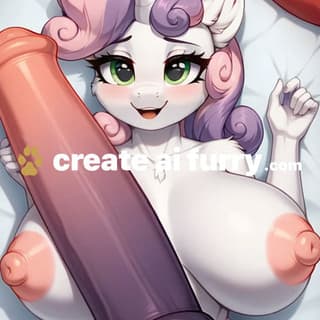
If you’ve been fighting a general-purpose image generator to get a decent fursona out of it, Yiff AI is the tool that skips that fight. It’s a furry-only generator, and the whole site is built around NSFW yiff and SFW furry art: you type your idea, pick a size, and the page promises you get your character back on models tuned specifically for anthro work.
I like tools that know exactly who they’re for, and this one does. There’s no roster of generic girlfriends and no realistic-photo pitch trying to be everything at once. It’s furry art, the page says the models get updated every month, and the entry tier is cheap enough that it costs you almost nothing to find out whether it clicks. Furries who want a dedicated tool rather than a workaround are going to have a good time here.
What you see when you land on Yiff AI
The homepage opens straight into the generator, under a plain “Furry AI Art Generator” heading. No splash screen, no quiz about your preferences. The prompt box is right there, with a model picker above it showing Yiff AI Advanced V0.8, and a BB95 Furry model named on the plans as the “best quality” option.
Below the prompt you get the controls that matter. Image size comes in square options up to 1536 × 1536, plus landscape 1920 × 1080 and portrait 1080 × 1920, which is handy if you want a wallpaper or a phone background of your character. There’s a number-of-images setting and a visibility toggle for public or private. There’s also a reference image slot for img2img, so you can feed in an existing sketch or an earlier render and push it somewhere new.
The navigation keeps it short: Generate, Explore, Pricing, Docs. Explore is the public gallery, and it’s worth a scroll before you pay, because it’s where everyone’s public generations end up. The custom page also shows off “public generations, unretouched”, which is a nice touch of confidence. It lets you judge the house style with your own eyes rather than off a curated banner.
How making NSFW yiff art works here
The flow is about as simple as image generators get. You pick a model, write your prompt, choose a size, decide how many images you want and set visibility. Hit generate and the site says your art arrives “in seconds”. That’s their claim, and a subscription is how you find out what it means on a busy evening.
Once you’re on a paid plan, the extras open up. Reference images let you work from art you already have. Inpaint editing lets you fix a hand, swap an outfit or redo a background without starting from zero, and that saves more prompts than people expect. Then there’s image-to-video. You make a still first, then spend video credits to animate it into a short loop. The site mentions 5 and 10 second clips, and says starting from your own still is “what keeps the character on-model”. That’s a smart way to build it. It also means video is a second step you budget for separately, not a thing every plan hands out freely.
The part I think a lot of artists and commission-heavy furries will find interesting is the Creator Custom offer. You send in references (art, ref sheets, past generations) and they train one or more private LoRAs on your characters. The pitch is character consistency across scenes, poses and outfits, in stills and in video, with monthly retuning and your own API endpoint on dedicated GPU capacity. They quote about a week for a first model. It’s firmly a business-tier thing, priced on its own page, but it’s great to know it exists if your OC needs to look like your OC every time.
Whether the standard models keep your character’s markings straight across a dozen renders is the question the pricing page can’t answer, and for a lot of furries it’s the one that matters most. That custom tier is basically the site saying it knows that too.
Paw Trial to Omega Yiffyverse: the plans
There’s no free plan, so everything starts with a subscription. The site’s own line is that the generator “is available to subscribers”. There are four standard tiers, each available monthly or annually, with the yearly toggle saving up to 25%.
Paw Trial is the cheap way in. You get the Yiff AI Advanced V0.8 model, and BB95 Furry sits behind the upgrade. The paid feature list includes private images, no watermark, img2img, inpainting and image-to-video with credits. Fur Crafter adds BB95 Furry and lists 1,200 images. Yiff Master is flagged as most popular, with 5,000 images and 5 video credits a month (you can buy more). Omega Yiffyverse UNLIMITED does what it says: unlimited image generations. Video credits come as separate packs of 20, 40, 80 or 200, or any custom amount from 3 to 200, and the per-credit rate drops the bigger the pack.
My pick: Paw Trial for a week or two to see if the style is your thing, then jump straight to Yiff Master on annual if you’re making art most days. It opens up the better model, the image count is generous, and it comes with a little video to play with. Only go unlimited if you’re a batch-generating machine. Pricing sits at the friendly end of the image-generator field for what you get, and the site even says on its custom page that a bigger quota “is not what you are missing” once you’re on the standard plans.
Good to know before you start yiffing
Set images to private if you’d rather not share. The page is clear that public images “are kept forever and appear in the Explore gallery”, so flip the toggle on anything personal before you hit generate.
Budget video separately. Image plans and video credits are two different wallets, so if animation is the main draw, look at the credit packs alongside the subscription rather than expecting a plan to cover it. On the site’s own framing, you’ll mostly be spending those credits on clips of stills you already like.
Think about where it sits in your toolkit. Yiff AI is mid table in our Best Hentai AI Generators ranking, and it’s more specialised than something like Promptchan AI, which covers much broader ground. If you want to compare it with another furry-dedicated site, createAIFurry.com is the closest neighbour. There’s also a Discord and an installable web app for easy access. Standard plans are web only, so API access lives on the custom tier.
If furry art is your thing, grab Paw Trial, set your first render to private, and see what the BB95 upgrade is worth to you.
Bottom line
Yiff AI costs $1.99/mo and has no free plan; it runs on Web. Where it lands in our rankings: lower half in AI Generators, Image, Anime AI and Generators. Best for: Furries who want a dedicated yiff generator instead of a general-purpose tool. Score 6.7/10 across six weighted criteria; how we rank.
Yiff AI alternatives
Promptchan AI: $14.99/mo, free plan; sits at #63 in AI Generators. Against Yiff AI: $13 a month pricier than Yiff AI; you can try it without paying, which Yiff AI does not offer; adds video generation; scores 6.0 against 6.7 here.
createAIFurry.com: $9.99/mo, no free plan; sits at #35 in AI Generators. Against Yiff AI: $8 a month pricier than Yiff AI; also runs on Discord; scores 6.9 against 6.7 here.
RepublicLabs.ai: $10/mo, no free plan; sits at #70 in AI Generators. Against Yiff AI: $8.01 a month pricier than Yiff AI; adds image-to-video and image-to-image; scores 5.7 against 6.7 here.